WhatsApp Tips
Send WhatsApp Message Without Saving Number (2026 Guide)
Why this is useful
Sometimes you just want to message someone quickly (delivery agent, customer support, lead, client, recruiter, or a one-time contact) without cluttering your phonebook.
Saving every number wastes time and makes your contacts messy.
✅ The good news: you can send WhatsApp messages without saving the number using simple official methods and a few smart tricks.
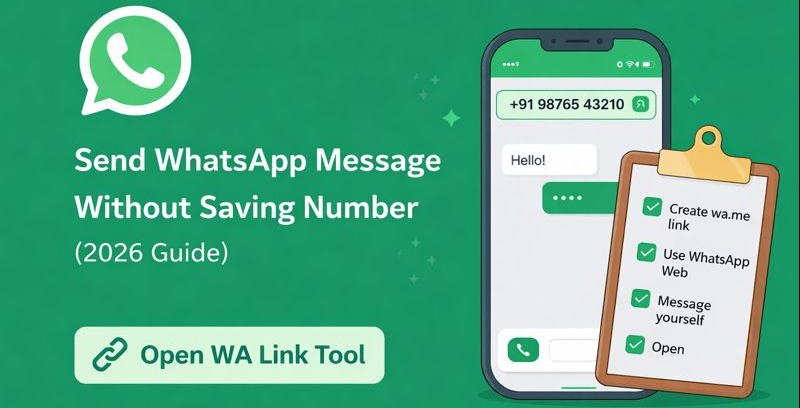
The fastest way (Recommended)
If you want the easiest and cleanest method, use WA Link:
✅ Choose country
✅ Enter number
✅ Add message (optional)
✅ Click Start Chat
➡️ This opens WhatsApp instantly without saving the contact.
Method 1: Use WA Link Tool (Fastest)
This is the easiest method for most users because everything happens in one place.
Steps
- Open WA Link
- Select your country code
- Enter phone number
- Add an optional pre-filled message
- Click Start Chat ✅
✅ No saving contact required.
✅ Works on Android, iPhone, and WhatsApp Web.
Method 2: Use the official wa.me link (WhatsApp Click to Chat)
WhatsApp supports an official “click to chat” format using wa.me.
✅ Format
https://wa.me/<countrycode><number>
✅ Example (India)
https://wa.me/919876543210
Once you open this link, WhatsApp will open the chat directly.
✅ With a message (pre-filled)
If you want a message already typed in the chat:
https://wa.me/919876543210?text=Hello%20I%20need%20help
✅ You can use this for business, support, or direct outreach.
Method 3: Use WhatsApp Web direct link (Desktop/Laptop)
If you're using a desktop/laptop, WhatsApp Web works great.
✅ Format
https://web.whatsapp.com/send?phone=<countrycode><number>
✅ Example
https://web.whatsapp.com/send?phone=919876543210
✅ With a pre-filled message
https://web.whatsapp.com/send?phone=919876543210&text=Hello%20I%20want%20to%20connect
📌 Tip: This method is very useful if you’re working in customer support or sales and you use WhatsApp from your PC.
Method 4: Message yourself and tap the number (Quick Trick)
This is one of the most underrated WhatsApp tricks.
✅ Steps
- Open WhatsApp
- Open your own chat (or “Message Yourself” if your WhatsApp shows it)
- Paste the phone number in the chat:
+91 98765 43210
- Send it
- Tap the number → WhatsApp will show Chat with +91...
- Tap it ✅
✅ This opens a chat without saving the contact.
When to use this method?
✅ When you are already inside WhatsApp
✅ When you don’t want to open any browser/tool
✅ When it’s just a one-time chat
Method 5: Use a pre-saved template message (Business use)
If you message customers often (like support or delivery confirmation), you can save message templates and reuse them.
Examples
✅ Order confirmation
✅ “Hello! Can you share your location?”
✅ “Hi, is this still available?” (OLX / marketplace)
Using WA Link, you can paste the template message and open chat instantly.
Method 6: Add a WhatsApp link to Instagram bio / website
If you're a freelancer, shop owner, or service provider, you can place a WhatsApp chat link anywhere:
✅ Instagram bio
✅ YouTube description
✅ Website "Contact Us" button
✅ Google Business Profile
✅ Ads landing page
This makes it super easy for anyone to contact you.
Example link:
https://wa.me/919876543210?text=Hi%20I%20need%20help
Common Use Cases (Where WA Link helps a lot)
Here are real-world situations where you don’t want to save numbers:
✅ One-time customer support chat
✅ Delivery partner contact
✅ Freelancers chatting with clients
✅ Marketplace buyers and sellers
✅ Recruiters and job seekers
✅ Sales teams connecting with leads
✅ Temporary chats while travelling
Try the WA Link tool now ✅
Go back to the homepage and click Open Tool ✅
Generate your WhatsApp chat link instantly without saving a contact.
FAQs
Open WA Link Tool
Generate a WhatsApp chat link instantly without saving contacts. Fast, free, and secure.
Open Tool →